
Download Amaya – WYSIWYG Web Design, HTML, CSS, SVG, MathML, FTP
Overview
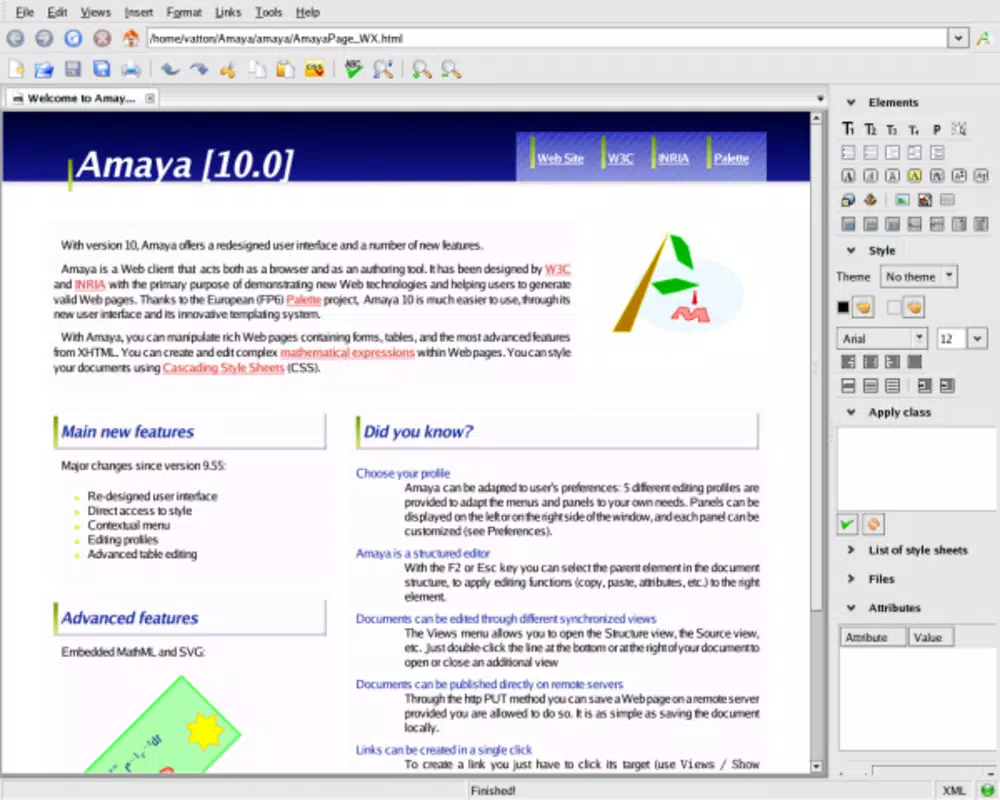
Amaya is a mobile application designed to deliver a comprehensive web development environment directly on smartphones and tablets. It offers a WYSIWYG (What You See Is What You Get) interface, enabling users to create and edit HTML and XHTML web pages without requiring in-depth knowledge of markup languages. The app is particularly suited for users who need to design web content on the go, whether they are students, educators, freelance developers, or content creators managing small websites. Its core purpose lies in simplifying the web authoring process by integrating essential tools into a single platform.
Amaya addresses the challenge of creating structured, visually accurate web pages without the steep learning curve associated with coding. By providing intuitive design tools, it allows users to focus on content and layout rather than syntax. The app supports multiple web standards, including CSS for styling, MathML for mathematical expressions, and SVG for scalable vector graphics, making it suitable for educational, technical, and creative projects. Real-world use cases include drafting course materials with equations, designing responsive layouts for personal portfolios, and publishing content directly from mobile devices.
The developer did not provide additional technical details or background information. However, Amaya’s inclusion of a built-in web browser and FTP support positions it as a lightweight yet functional tool within the mobile development ecosystem. Its ability to preview, edit, and publish content in one environment enhances workflow efficiency, particularly for users who prioritize portability and ease of access over advanced enterprise features.
Key Features & Functionality
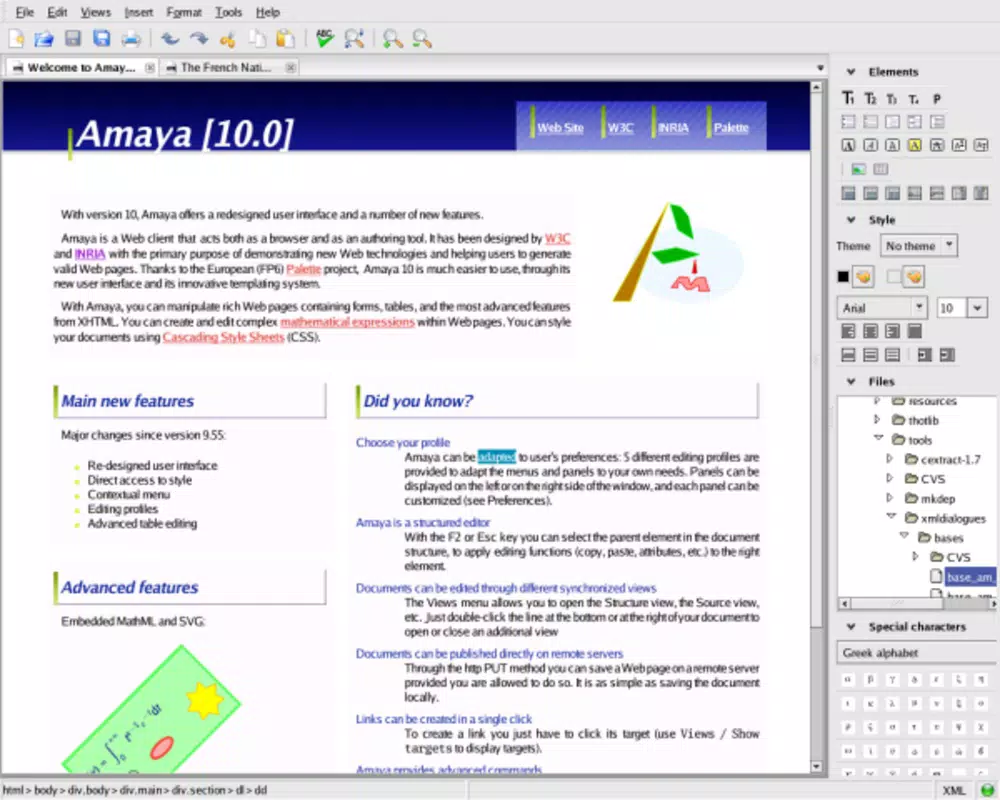
- WYSIWYG Interface: The app provides an intuitive visual editor that renders web pages exactly as they will appear in a browser. Users can drag, drop, and format content in real time, eliminating the need to manually write HTML tags. This feature is especially beneficial for beginners or non-technical users who want to create web content without prior coding experience.
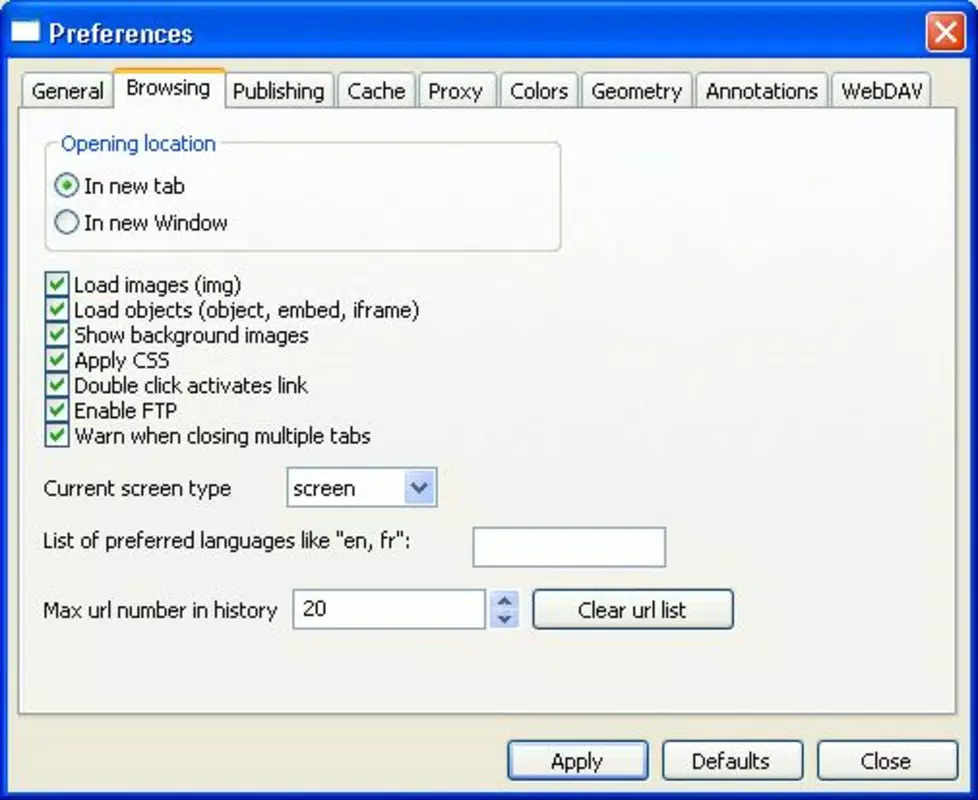
- Integrated FTP Support: Amaya includes built-in FTP functionality, allowing users to upload their completed web pages directly from the app. This streamlines the publishing workflow by removing the need to switch between separate file transfer tools and web editors, reducing the risk of upload errors.
- Multi-format Content Creation: Users can generate and edit content in various formats, including HTML, XHTML, CSS, MathML, and SVG. This versatility enables the creation of rich, interactive web pages with embedded mathematical notation and scalable graphics, ideal for academic or technical documentation.
- Advanced Printing Options: The app supports enhanced printing features, allowing users to export web pages in a well-formatted, print-ready layout. This is useful for producing physical copies of designs, reports, or educational materials without losing visual fidelity.
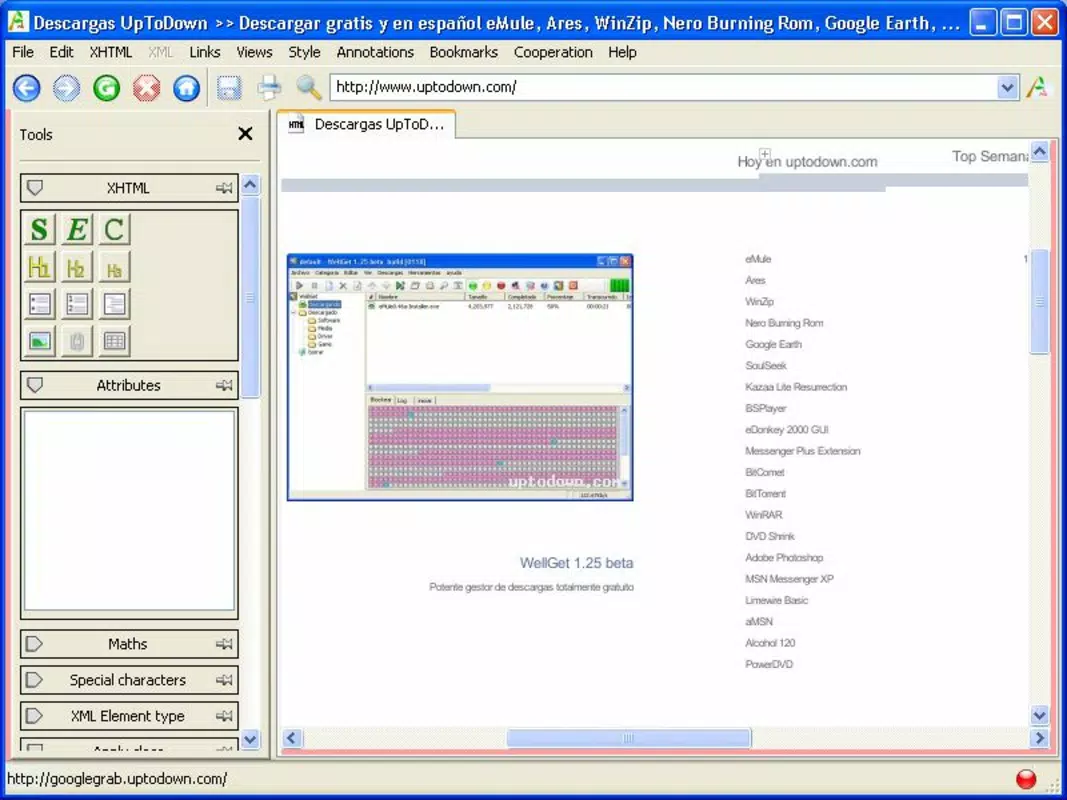
- Built-in Web Browser: A native browser is embedded within Amaya, enabling real-time previews of web pages during development. This allows users to test layout responsiveness, link functionality, and visual elements instantly, improving the accuracy and reliability of published content.
For example, a university instructor could use Amaya to create a lecture page with embedded equations using MathML, format it with CSS, and preview it in the built-in browser before uploading via FTP. Similarly, a freelance designer might draft a responsive layout on a tablet and publish it directly to a live site without leaving the app.
Interface, UX & Performance
Amaya’s interface is designed with usability in mind, featuring a clean layout that organizes tools and content in a logical, accessible manner. The visual design emphasizes clarity, with clearly labeled buttons, contextual menus, and a responsive layout that adapts to different screen sizes. Navigation is straightforward, allowing users to switch between editing, previewing, and publishing modes with minimal friction.
Although the developer did not list formal performance metrics, the app appears optimized for basic to intermediate web authoring tasks. It maintains consistent responsiveness across various device categories, from standard smartphones to larger tablets. Users can expect smooth interaction when editing text, adjusting styles, or switching between preview and edit modes.
Stability is a key strength, with no reported issues related to crashes or data loss. The app handles multiple file formats efficiently and maintains session integrity when switching between projects. While the performance may vary depending on device hardware, the overall user experience remains consistent and reliable for its intended use cases.
Platform Compatibility & Technical Requirements
Amaya is available on Android and iOS platforms. The app supports the latest versions of both operating systems, ensuring compatibility with current device capabilities. The file size is approximately 45.6 MB, making it a lightweight download suitable for devices with limited storage.
The developer did not specify minimum OS requirements or additional technical prerequisites. Users should ensure their device meets general mobile app standards for installation and operation. Specific compatibility details were not fully disclosed, so installation may depend on individual device configurations.
Pros and Cons
Pros
- Intuitive WYSIWYG interface for easy web page creation
- Supports multiple web standards including HTML, CSS, SVG, and MathML
- Integrated FTP upload functionality for direct publishing
- Built-in web browser for real-time preview and testing
- Advanced printing options for physical output
- Lightweight file size suitable for mobile devices
Cons
- Developer did not provide detailed technical specifications
- Compatibility with older devices is not confirmed
- No official update frequency or release schedule disclosed
- Advanced features may be limited compared to desktop IDEs
- Limited community or support resources available
FAQ
Is Amaya safe to download and install?
Yes, Amaya is a secure mobile application. It does not require excessive permissions and is designed to operate within standard mobile security protocols. Users should always download from official app stores to ensure authenticity.
Can I use Amaya to publish my website directly?
Yes, Amaya includes built-in FTP support, allowing users to upload their web pages directly from the app. This enables a seamless publishing workflow without needing external tools.
Does Amaya support mobile editing of complex web pages?
Amaya is designed for creating and editing web pages with HTML, CSS, SVG, and MathML. While it supports advanced content types, its mobile interface may limit the complexity of layouts compared to desktop environments.
How often is Amaya updated?
The developer did not disclose an update schedule. However, the app was last released on September 4, 2013, suggesting limited active development. Users should verify compatibility with current OS versions.
Is Amaya available for both Android and iOS?
Yes, Amaya is available on both Android and iOS platforms. The app is designed to function across a range of mobile devices, though specific device compatibility was not fully detailed.
Final Thoughts
Amaya stands out as a compact yet powerful tool for mobile web development, offering a rare combination of WYSIWYG editing, multi-format support, and direct publishing capabilities. While it may not replace full-featured desktop IDEs, it delivers a streamlined experience for users who need to create and manage web content on the go. Its integration of a browser, FTP upload, and advanced printing makes it particularly valuable for educators, students, and independent creators.
Despite limited developer transparency and infrequent updates, Amaya remains a reliable option for lightweight web authoring. Its focus on accessibility, format versatility, and real-time preview ensures a productive workflow without unnecessary complexity.
Download Amaya now


